Solid Commerce

Commerce Agentic Business Unit

Don't Manage 30 AI Agents. Make Your Commerce Operations Agentic.

Bring catalog, inventory, orders, fulfillment, pricing, buyer support, and reporting together in one Commerce Agentic Business Unit. Coordinated workflows use your commerce data to execute routine work, resolve issues within your rules, and bring decisions requiring approval to your team.

See Commerce Workflows

The daily commerce challenge

Your commerce workflows depend on each other

A supplier changes availability. Your listings, fulfillment choices, replenishment plans, and customer promises all need to reflect it. When each tool or AI agent sees only part of the picture, your team has to connect the dots and resolve conflicting decisions.

Agent sprawl adds queues, permissions, and handoffs to an already busy operation. Commerce needs coordinated execution: the same product and order context, consistent policies, and a clear owner when an exception crosses channels or systems.

Where disconnected work breaks down

  • Inventory updates conflict across marketplaces and warehouses.
  • Repricing decisions miss changes in supplier costs, shipping, or margin limits.
  • Buyer replies lack the latest order, fulfillment, or return context.
  • Listing errors and shipping exceptions wait for someone to reconcile disconnected queues.

One Commerce Agentic Business Unit

A Commerce Agentic Business Unit brings your ecommerce team, connected systems, normalized commerce data, and coordinated AI workflows together under shared goals and controls. Your team owns the outcomes; workflows carry out authorized work across your commerce operation.

Catalog publishing, inventory, fulfillment, purchasing, pricing, buyer support, and reporting work from a common operational context. Each workflow can use the relevant data, coordinate the next action, and pass an exception to the person responsible for resolving it.

Keep your marketplaces, webstores, ERP, warehouse tools, experienced operators, and business policies. People set priorities, exercise judgment, and manage relationships while agentic workflows handle repetitive execution and report what changed.

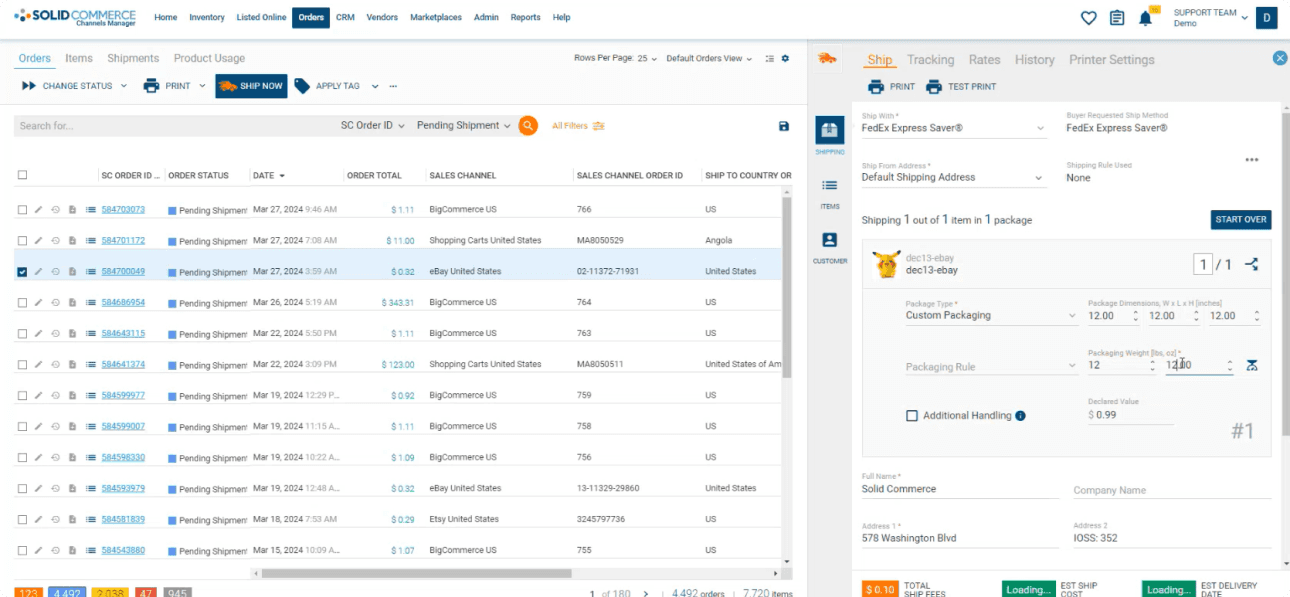
Connected commerce in action

How Your Commerce Agentic Business Unit Works

From a new order to a supplier update or buyer message, connected workflows turn commerce events into controlled action. They can run when an event occurs or on the schedule your operation requires.

  1. Connect Commerce Data

    Bring product, inventory, order, customer, supplier, carrier, and marketplace information into a consistent operational context. Normalized data gives connected workflows a shared view of what is happening.

  2. Monitor and Coordinate

    Watch events and scheduled checks for listing errors, inventory risks, delayed orders, buyer requests, and margin changes. Gather the relevant context and coordinate the workflows needed to address them.

  3. Act and Resolve

    Correct approved listing issues, synchronize inventory, route orders, adjust prices, and answer routine buyer questions. Actions stay within your permissions, policies, approval thresholds, and financial limits.

  4. Report and Escalate

    Record actions, report results, and measure operational outcomes. Route unusual, high-risk, or out-of-policy decisions to the right person with the data and proposed next steps needed for approval.

Ecommerce operations, coordinated

Six workflow areas. One connected commerce operation.

These workflow areas operate together inside your Commerce Agentic Business Unit, sharing context and handing work forward so a change in one part of the operation is reflected in the next.

Catalog and Marketplace Publishing

Keep channel data complete and ready to sell.

Normalize supplier content, map marketplace taxonomies and required attributes, and prepare channel-specific listings. Monitor publishing errors, apply approved corrections, and send unresolved content or compliance questions to your catalog specialists.

Inventory and Purchasing

Align availability, replenishment, and supplier data.

Monitor stock, demand, lead times, and channel commitments. Coordinate inventory updates, prepare purchase-order recommendations, and initiate approved replenishment steps within supplier, quantity, and spending limits.

Orders and Fulfillment

Keep orders moving against service and cost targets.

Coordinate routing across warehouses, vendors, and fulfillment partners. Identify stock conflicts, missed cutoffs, and carrier exceptions; execute authorized corrections and escalate decisions that affect customer promises or exceed shipping limits.

Buyer Support

Resolve routine requests with current order context.

Use product, order, tracking, and return information to triage messages, answer authorized questions, and coordinate approved follow-up actions. Sensitive requests and policy exceptions reach your team with the conversation and operational context.

Pricing and Margins

Coordinate competitive pricing with your business rules.

Evaluate channel pricing alongside product costs, fees, and shipping. Apply approved price changes within margin floors and MAP policies, and surface exceptions where competitiveness and profitability require a human decision.

Reporting and Insights

Ask questions and turn commerce data into decisions.

Ask free-form questions about sales, inventory, fulfillment, and profitability. Generate custom reports, reconcile operational discrepancies, and share scheduled insights so your team can review trends and prioritize corrective work.

More capacity for the commerce work that matters

Fewer manual handoffs
Move data and follow-up actions between channels, warehouses, suppliers, and support without repeated copying and queue checks.
Faster exception resolution
Resolve routine issues within your rules and give operators the context they need for the decisions requiring judgment.
Consistent commerce data
Use normalized products, orders, inventory, and customer context to coordinate decisions across connected workflows.
Better fulfillment visibility
Follow order progress, inventory conflicts, and carrier exceptions against your service commitments and escalation rules.
Margin-aware execution
Keep pricing, purchasing, and fulfillment actions within approved cost limits and review their impact on profitability.
Measurable operating capacity
Track resolution time, order delays, listing errors, manual touches, and margin trends as you expand automated work.

Human judgment. Controlled execution.

Guardrails matter. Your commerce team stays in control.

Bounded autonomy. Explicit accountability. Your commerce leaders set goals, policies, data access, and decision limits. Routine work can proceed within those boundaries; sensitive or uncertain decisions come back to the appropriate person.

Solid Commerce connects commerce workflows across existing systems and normalized data with scoped access and operational visibility. Your Commerce Agentic Business Unit is bounded, but not isolated: it can coordinate with warehouse, finance, supplier, and customer teams through defined permissions and handoffs.

Your rules for commerce automation

  • Role-based access to systems and actions
  • Scoped customer data and PII access
  • Margin floors and pricing policies
  • Purchasing and shipping spending limits
  • Human approval thresholds
  • Exception ownership and escalation rules
  • Audit logs and action history
  • Commerce goals and performance reporting

Improve toward your goals, within your rules

Goal-driven workflows can review outputs and adjust permitted inputs toward targets such as fewer listing errors or faster resolution. Changes remain within granular guardrails, and your team reviews results and approves adjustments outside the agreed authority.

Make your commerce operations agentic, workflow by workflow

Begin with recurring commerce work where inputs and outcomes are clear. Keep an accountable operator involved as you connect systems, define authority, and expand the work that can run reliably.

  1. Connect your systems

    Identify the marketplaces, webstores, ERP, warehouses, and supplier feeds needed for your first commerce workflows.

  2. Prioritize recurring work

    Choose frequent bottlenecks such as listing corrections, inventory updates, order exceptions, or repetitive buyer questions.

  3. Establish approvals

    Set permissions, cost limits, success criteria, and the decisions that must be reviewed by your commerce team.

  4. Review and expand

    Evaluate resolution time, manual effort, data quality, and customer impact before extending automation to more workflows.

Commerce Agentic Business Unit FAQ

Connecting your commerce systems, resolving routine work, and keeping your team in control.

It is your ecommerce operation supported by coordinated AI workflows, connected systems, and normalized commerce data. Catalog, inventory, fulfillment, pricing, buyer support, and reporting work toward shared goals while an accountable team controls permissions, policies, and decisions requiring judgment.